Modern Delphi with Dext: From RAD to Decoupling
“Simplicity is Complicated.” — Rob Pike
If you’ve been programming in Delphi for years, you’ve probably heard terms like “coupling”, “dependency injection”, and “testability”. But what do they really mean in practice? And why should we care if our code has “always worked”?
This article is for you — the Delphi developer who wants to understand these concepts without complicated jargon, and discover how the Dext Framework can transform the way you write code.
The Beauty of RAD: What Delphi Does For You
Section titled “The Beauty of RAD: What Delphi Does For You”Before talking about “problems”, let’s recognize what Delphi does very well. RAD (Rapid Application Development) is one of the platform’s greatest strengths.
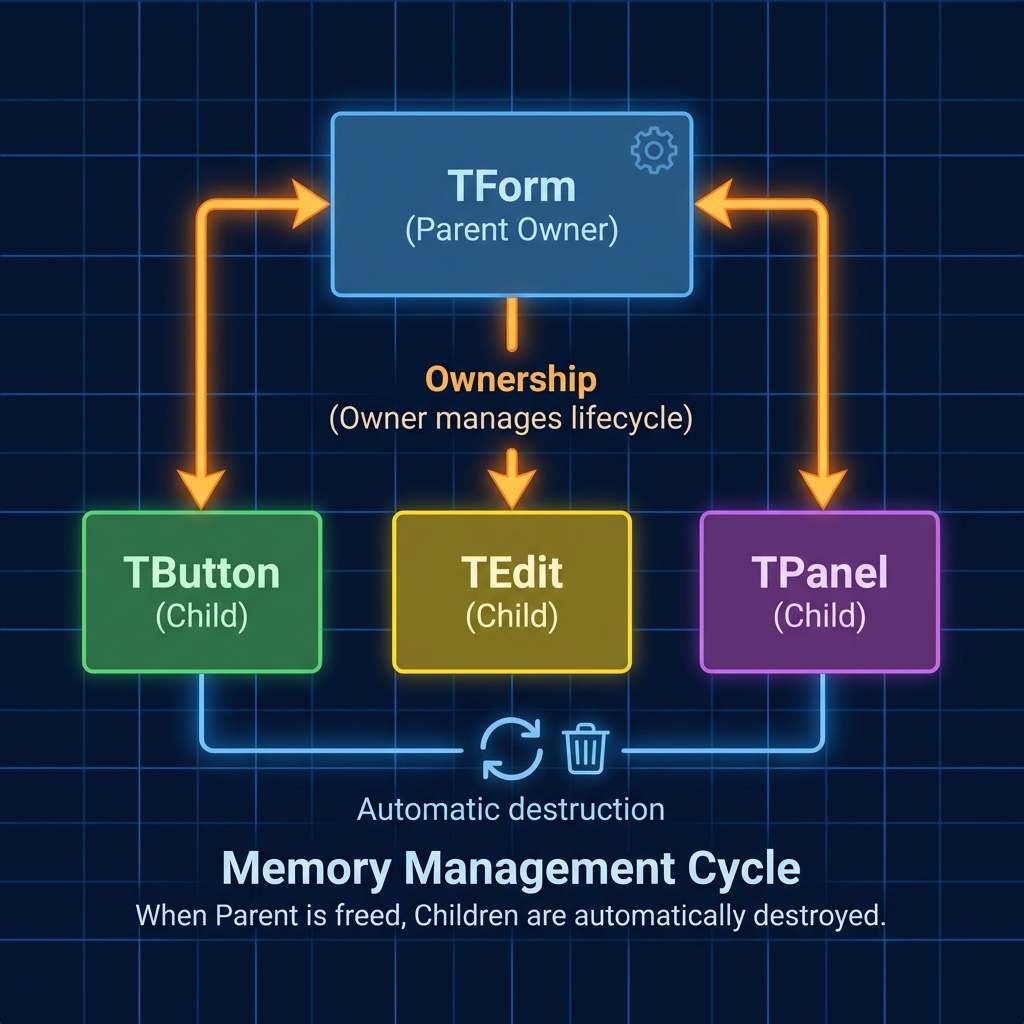
The Ownership Concept
Section titled “The Ownership Concept”When you drag a TButton onto a TForm, something magical happens behind the scenes:
// Delphi generates this automatically in the .DFM:object Button1: TButton Left = 100 Top = 50 Caption = 'Click'endThe TForm becomes the Owner of the TButton. This means:
- ✅ Automatic memory management: When the Form is destroyed, all child components are destroyed with it.
- ✅ State serialization: The
.DFMfile saves and restores all properties. - ✅ Visual design: You see what you’re building in real-time.
Why This Works Well
Section titled “Why This Works Well”For simple and medium applications, this model is perfect:
procedure TForm1.ButtonSaveClick(Sender: TObject);begin FDQuery1.SQL.Text := 'INSERT INTO Customers (Name) VALUES (:Name)'; FDQuery1.ParamByName('Name').AsString := EditName.Text; FDQuery1.ExecSQL; ShowMessage('Saved successfully!');end;It works. It’s quick to write. The customer gets working software in days, not months.
The Problem: When RAD Becomes a Trap
Section titled “The Problem: When RAD Becomes a Trap”But what happens when your system grows? When you have 50 forms, 200 queries, and need to:
- Add a new database?
- Write automated tests?
- Switch the email sending component?
- Make the code work on mobile?
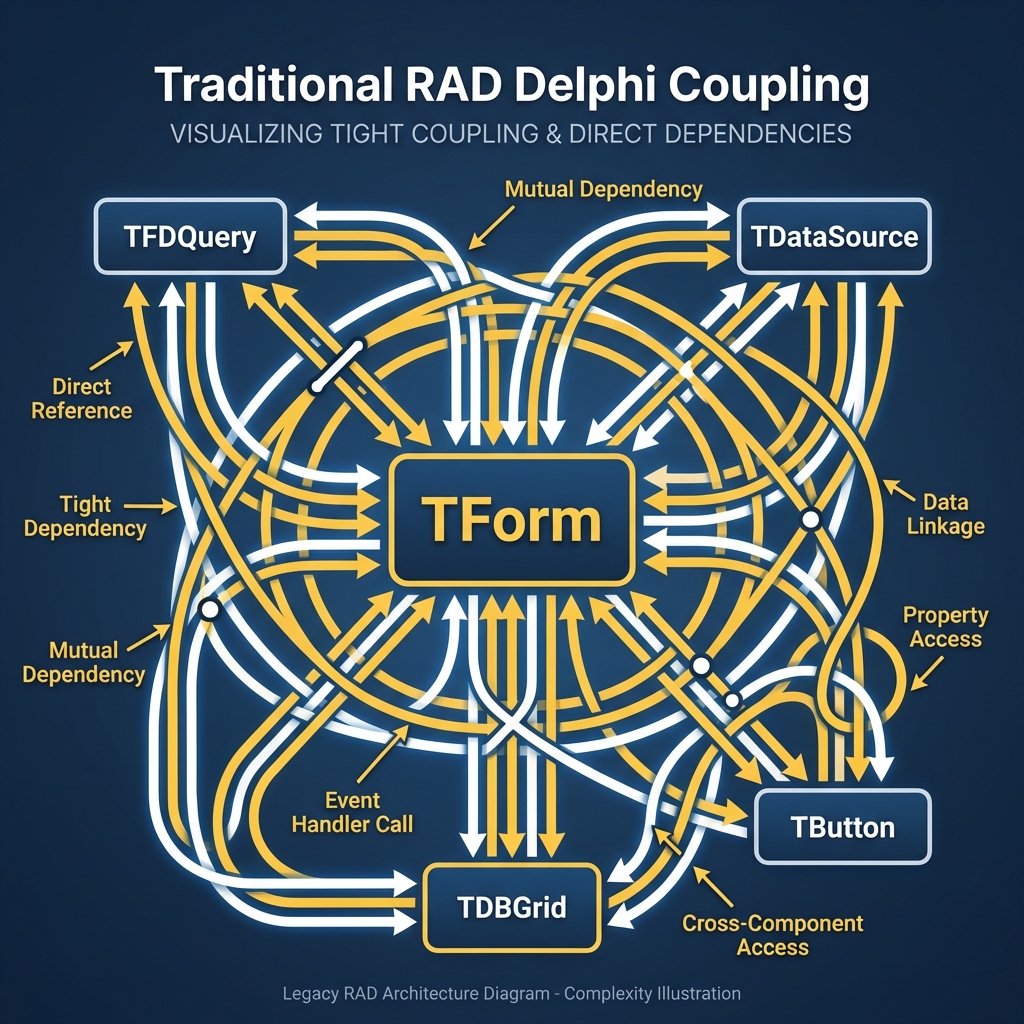
What Is Coupling (Simple Explanation)
Section titled “What Is Coupling (Simple Explanation)”Coupling means that parts of your code are “glued together” — one directly depends on the other.
See this typical example:
unit UFormCustomers;
interfaceuses  Vcl.Forms, FireDAC.Comp.Client, Data.DB;
type  TFormCustomers = class(TForm)    FDQuery1: TFDQuery;           // <-- Direct dependency    FDConnection1: TFDConnection; // <-- Direct dependency    procedure ButtonSaveClick(Sender: TObject);  end;
implementation
procedure TFormCustomers.ButtonSaveClick(Sender: TObject);begin  // The Form knows EXACTLY how to save to the database  FDQuery1.Connection := FDConnection1;  FDQuery1.SQL.Text := 'INSERT INTO Customers...';  FDQuery1.ExecSQL;end;
Problems with this code:
| Problem | Consequence |
|---|---|
| Form knows SQL | Can’t reuse logic elsewhere |
| Form knows FireDAC | Switching to dbExpress requires rewriting everything |
| Logic in event handler | Impossible to test without opening the form |
| Everything together | Any change can break something unexpected |
The Chewing Gum Metaphor
Section titled “The Chewing Gum Metaphor”Think of coupled code like chewed gum: everything sticks to everything. When you try to pull one part, the others come along.
Decoupled code is like LEGO pieces: each piece has a clear function, fits in a specific place, and can be swapped without destroying the structure.
The Solution: Interfaces and Dependency Injection
Section titled “The Solution: Interfaces and Dependency Injection”The solution to coupling has two pillars:
- Interfaces: Contracts that define WHAT something does, not HOW it does it
- Dependency Injection (DI): Instead of creating dependencies, you receive them
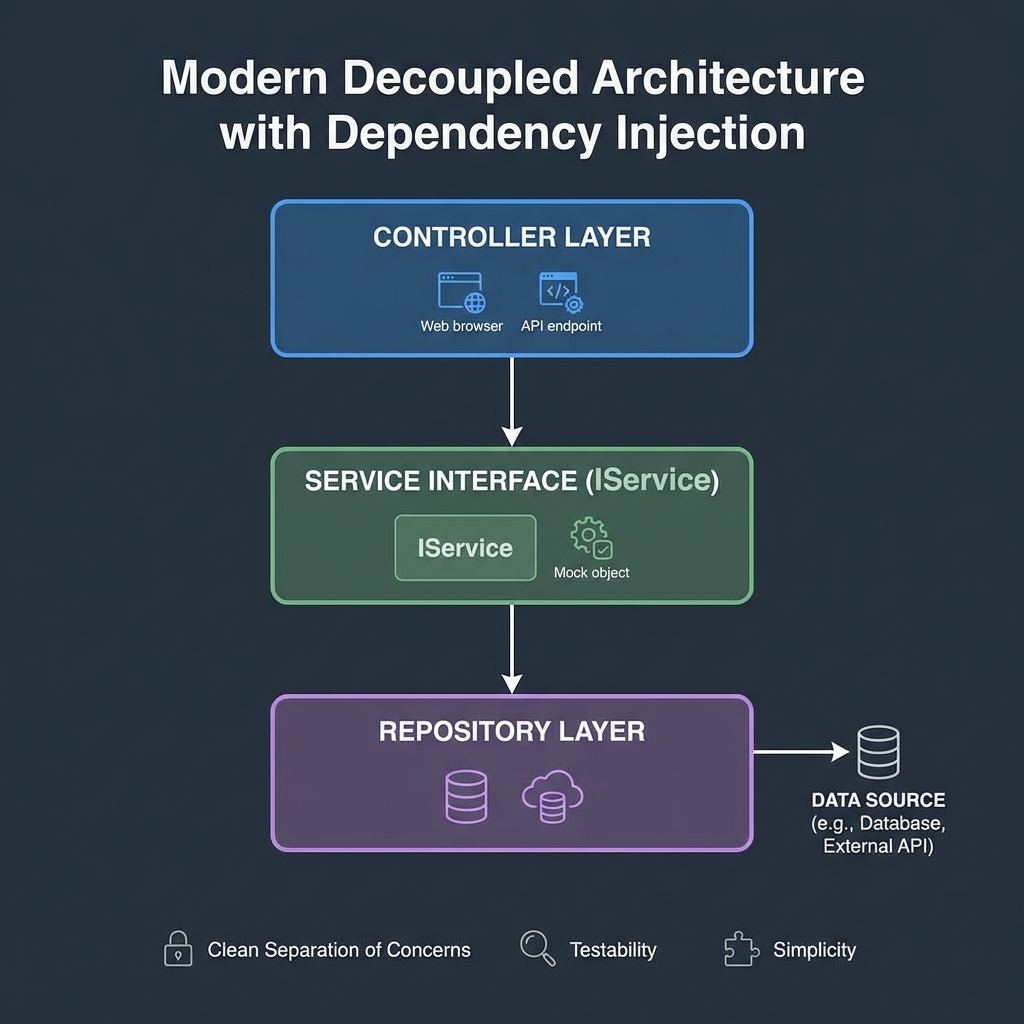
Practical Example: Before and After
Section titled “Practical Example: Before and After”❌ BEFORE (Coupled):
procedure TFormCustomers.Save;var Query: TFDQuery;begin Query := TFDQuery.Create(nil); // <-- Creates directly try Query.Connection := FDConnection1; Query.SQL.Text := 'INSERT INTO Customers...'; Query.ExecSQL; finally Query.Free; end;end;✅ AFTER (Decoupled):
type  ICustomerRepository = interface    ['{GUID}']    procedure Save(const Customer: TCustomer);  end;
procedure TCustomerService.Save(const Customer: TCustomer);begin  FRepository.Save(Customer);  // <-- Doesn't know how it works internallyend;
The fundamental difference:
- Before: The code decides HOW to do it (creates query, connects, executes)
- After: The code just asks someone to do it (
FRepository)
Dext in Practice: Real Code
Section titled “Dext in Practice: Real Code”The Dext Framework brings all this modern architecture to Delphi in a simple and elegant way.
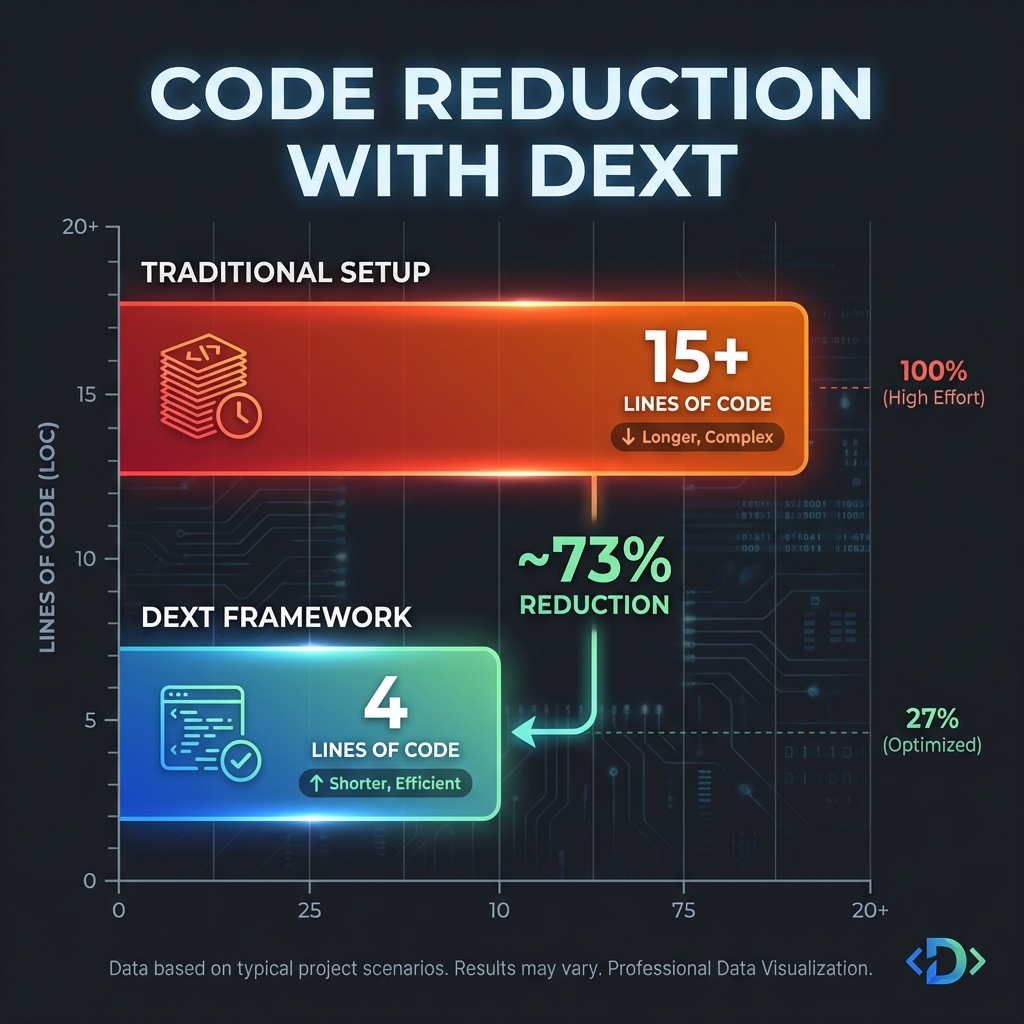
Hello World with Dext
Section titled “Hello World with Dext”program HelloDext;
{$APPTYPE CONSOLE}
uses Dext.Web;
begin TDextWebHost.CreateDefaultBuilder .Configure(procedure(App: IApplicationBuilder) begin App.MapGet('/hello', procedure(Ctx: IHttpContext) begin Ctx.Response.Write('Hello, Dext!'); end); end) .Build .Run;end.That’s it. In 15 lines you have an HTTP server running.
Registering Services with DI
Section titled “Registering Services with DI”The magic of Dext is in the DI container:
TDextWebHost.CreateDefaultBuilder .ConfigureServices(procedure(Services: IServiceCollection) begin // Interface → Implementation Services.AddScoped<ICustomerRepository, TCustomerRepository>; Services.AddScoped<ICustomerService, TCustomerService>; Services.AddSingleton<ILogger, TConsoleLogger>; end) .Configure(procedure(App: IApplicationBuilder) begin App.MapPost('/customers', procedure(Ctx: IHttpContext) var Service: ICustomerService; begin // Dext automatically injects the correct service Service := Ctx.Services.GetRequiredService<ICustomerService>; Service.Create(Ctx.Request.Body.FromJson<TCustomer>); Ctx.Response.StatusCode := 201; end); end) .Build .Run;Automatic Constructor Injection
Section titled “Automatic Constructor Injection”The most elegant way is to use constructor injection:
type  TCustomerService = class(TInterfacedObject, ICustomerService)  private    FRepository: ICustomerRepository;    FLogger: ILogger;  public    constructor Create(Repository: ICustomerRepository; Logger: ILogger);    procedure CreateCustomer(const Customer: TCustomer);  end;
constructor TCustomerService.Create(Repository: ICustomerRepository; Logger: ILogger);begin  FRepository := Repository;  // Received, not created  FLogger := Logger;          // Received, not createdend;
procedure TCustomerService.CreateCustomer(const Customer: TCustomer);begin  FLogger.Info('Creating customer: ' + Customer.Name);  FRepository.Save(Customer);end;
When you register TCustomerService in the container, Dext automatically:
- Finds the dependencies (
ICustomerRepository,ILogger) - Resolves each one
- Passes them to the constructor
- Returns the ready instance
Unit Tests: The Proof of Fire
Section titled “Unit Tests: The Proof of Fire”The biggest advantage of decoupled code is testability. See how to test TCustomerService without a database:
[TestFixture]TCustomerServiceTest = classpublic  [Test]  procedure Create_ShouldLogAndCallRepository;end;
procedure TCustomerServiceTest.Create_ShouldLogAndCallRepository;var  MockRepo: Mock<ICustomerRepository>;  MockLogger: Mock<ILogger>;  Service: ICustomerService;  Customer: TCustomer;begin  // Arrange: Create mocks  MockRepo := Mock<ICustomerRepository>.Create;  MockLogger := Mock<ILogger>.Create;
  // Create service with fake dependencies  Service := TCustomerService.Create(MockRepo.Instance, MockLogger.Instance);
  Customer := TCustomer.Create;  Customer.Name := 'John';
  // Act: Execute  Service.CreateCustomer(Customer);
  // Assert: Verify behavior  MockLogger.Received.Info(Arg.Contains('John'));  MockRepo.Received.Save(Customer);end;
What this test proves:
- The service works correctly
- It logs the action
- It calls the repository
- All this without a database, without a server, without a network
Lifetime Scopes: Singleton, Scoped, Transient
Section titled “Lifetime Scopes: Singleton, Scoped, Transient”Dext automatically manages object lifecycles:
| Scope | Behavior | Common Use |
|---|---|---|
| Singleton | One instance for the entire application | Logger, Configuration, Cache |
| Scoped | One instance per HTTP request | DbContext, UserSession |
| Transient | New instance every time you ask | Validators, Factories |
Services.AddSingleton<ILogger, TConsoleLogger>; // Created onceServices.AddScoped<IDbContext, TAppDbContext>; // One per requestServices.AddTransient<IValidator, TValidator>; // Always newConclusion: The Best of Both Worlds
Section titled “Conclusion: The Best of Both Worlds”Dext didn’t come to replace RAD — it came to complement it.
| Use RAD When | Use Dext When |
|---|---|
| Quick prototypes | Enterprise applications |
| Simple CRUDs | REST APIs and microservices |
| Internal tools | Code that needs tests |
| One person on the project | Teams collaborating |
The beauty lies in being able to choose the right tool for each situation. And when you need solid architecture, testability, and maintainability, Dext is ready to help.
Next Steps
Section titled “Next Steps”- 📖 Complete Dext Documentation
- 🚀 Example: Hello World Minimal API
- 🏗️ Enterprise Patterns with Dext
- 🔄 Asynchronous Programming
Dext Framework — Native performance, modern productivity.