Dext Framework: Delphi's Design-Time Revolution
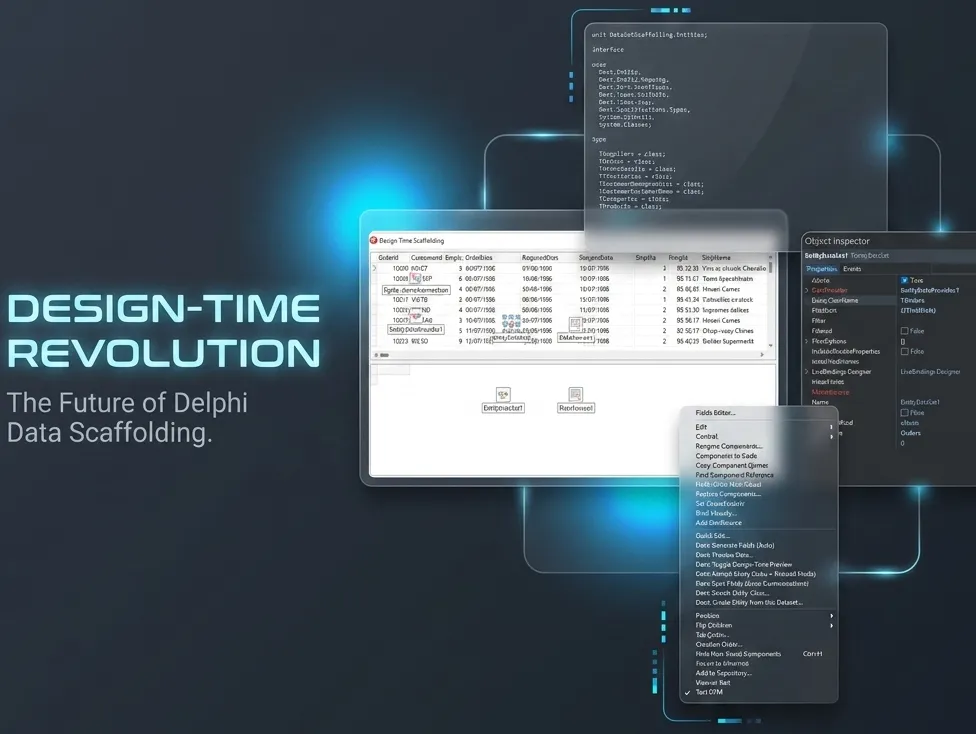
Many ORM frameworks promise productivity, but few deliver a truly integrated experience within the Delphi IDE. The Dext Framework breaks this barrier by being a high-performance ORM that allows you to configure your entire data engine directly in the Object Inspector, with instant visual feedback and without the need to write repetitive infrastructure code.
In this visual guide, we walk through each step of this experience that redefines Full Stack development with Delphi, merging the power of object-relational mapping with RAD agility.
🛠️ Phase 1: Smart Scaffolding
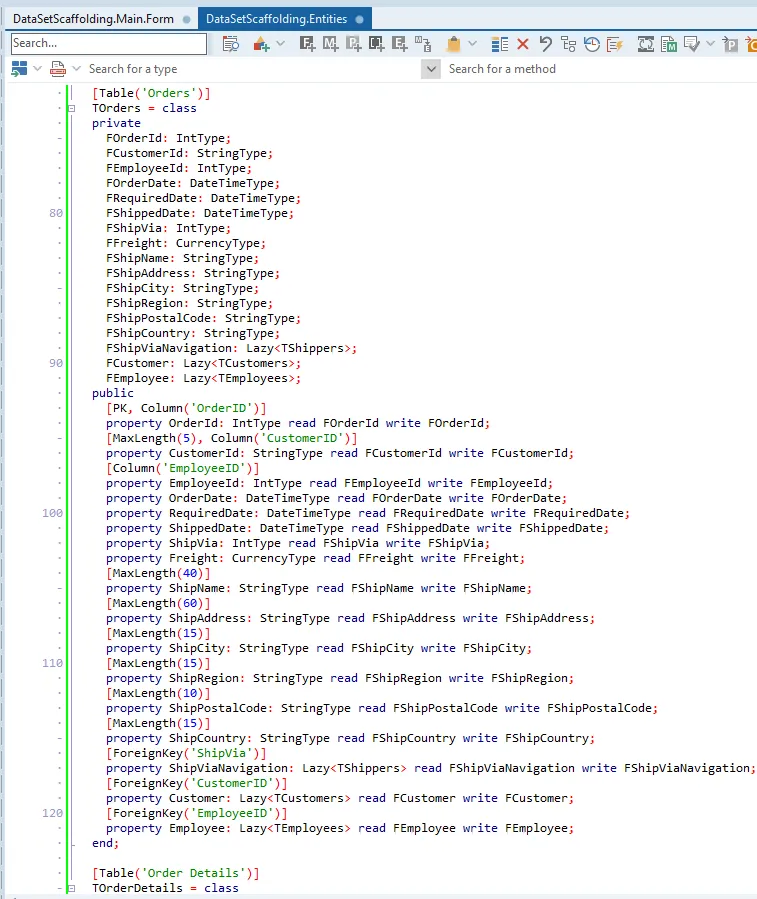
Section titled “🛠️ Phase 1: Smart Scaffolding”The process begins with the automatic generation of entities. Dext reads your database and creates robust entity classes, respecting types and relationships.
1. Installation and Preparation
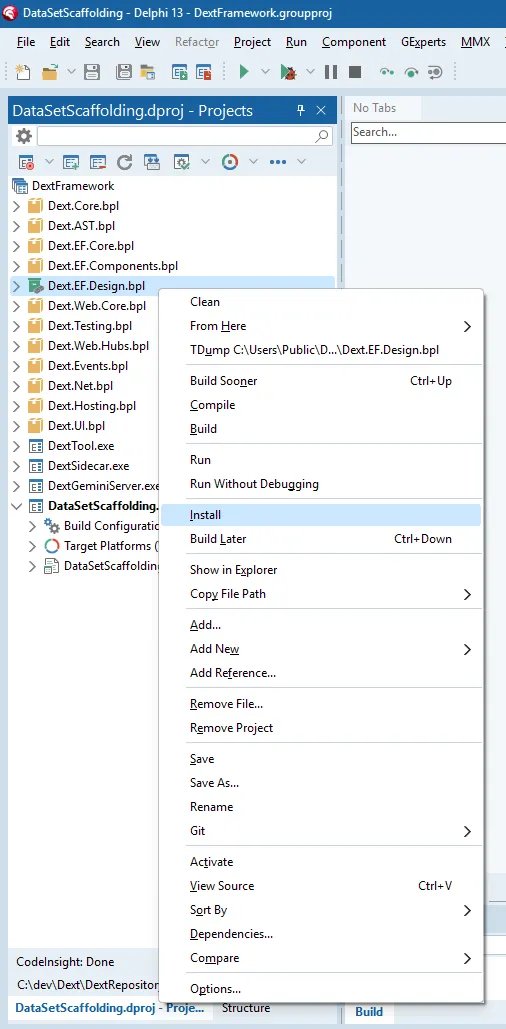
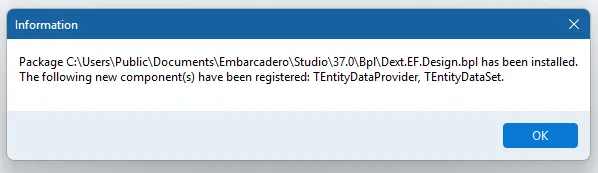
Section titled “1. Installation and Preparation”With the Dext.EF.Design package installed, you gain access to specialized components and context menus that automate the most tedious tasks.
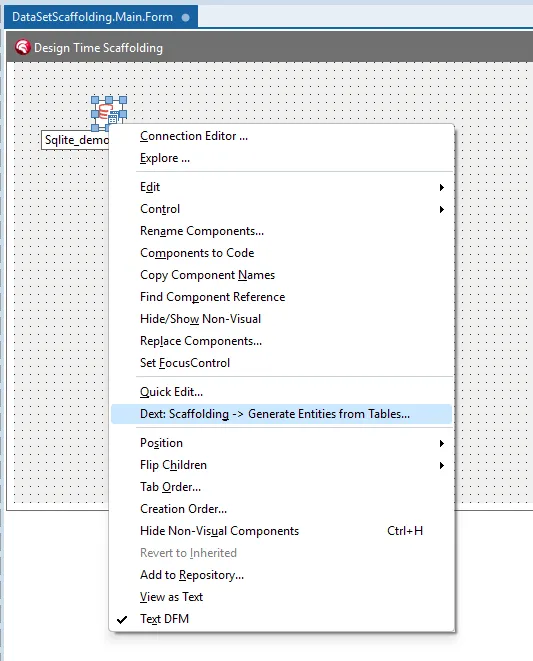
2. The Power of Context
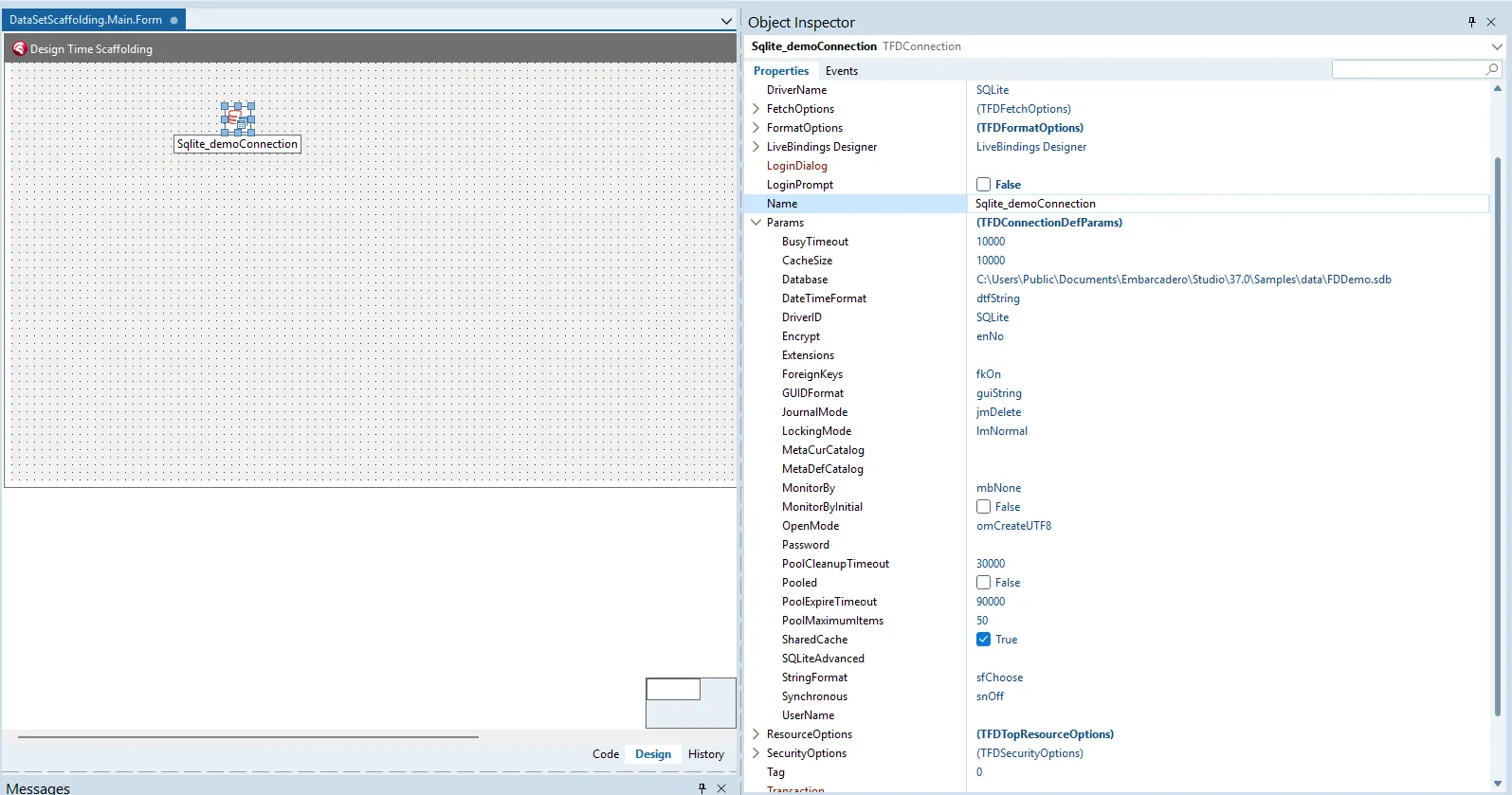
Section titled “2. The Power of Context”With an active FireDAC connection (e.g., SQLite), you trigger Scaffolding directly from the connection components’ context menu. It’s the end of manual field-by-field mapping.
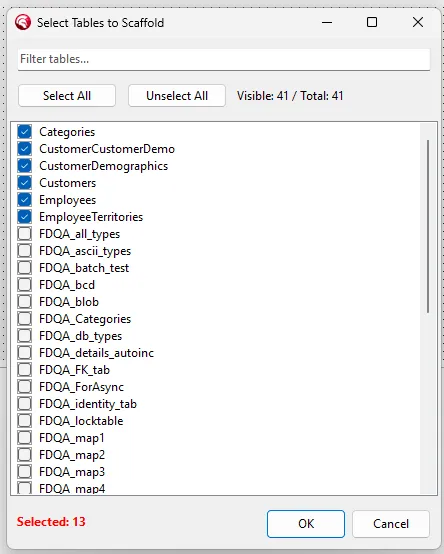
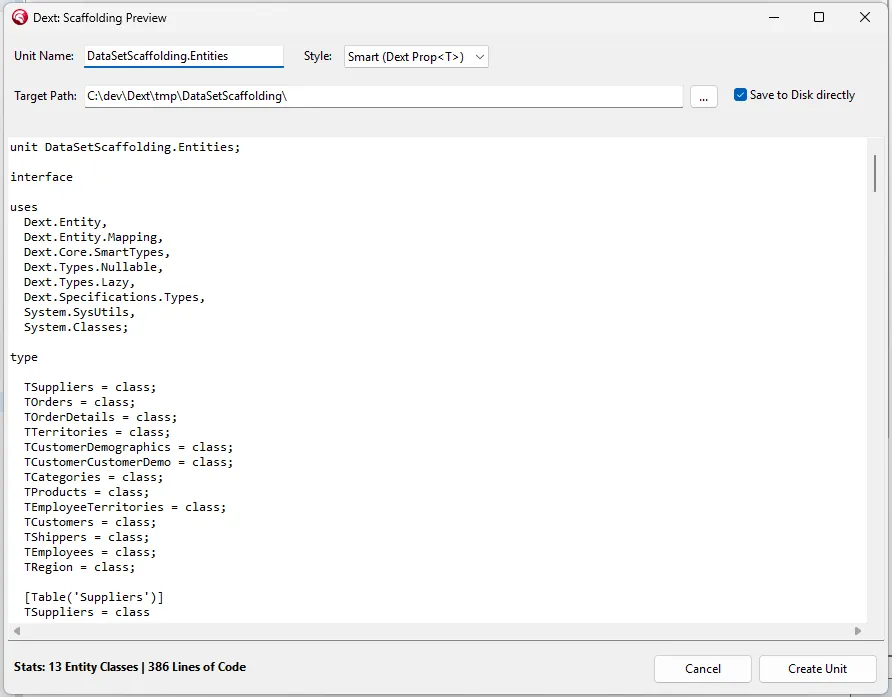
3. Selection and Preview
Section titled “3. Selection and Preview”Select the desired tables and preview the code before generating it. Dext allows you to customize class names, properties, and mappings directly in the Preview.
🪄 Phase 2: Design-Time Magic (Live Data)
Section titled “🪄 Phase 2: Design-Time Magic (Live Data)”Connecting entities to your interface is a purely visual and extremely fluid process.
4. DataProvider Setup
Section titled “4. DataProvider Setup”The TEntityDataProvider serves as the smart bridge between the database and your model. Simply connect it to your TFDConnection.
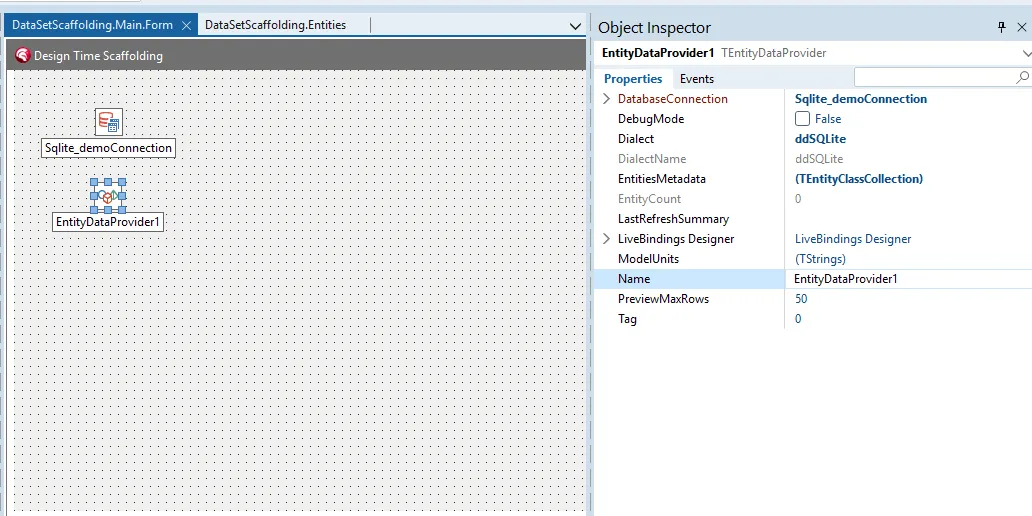
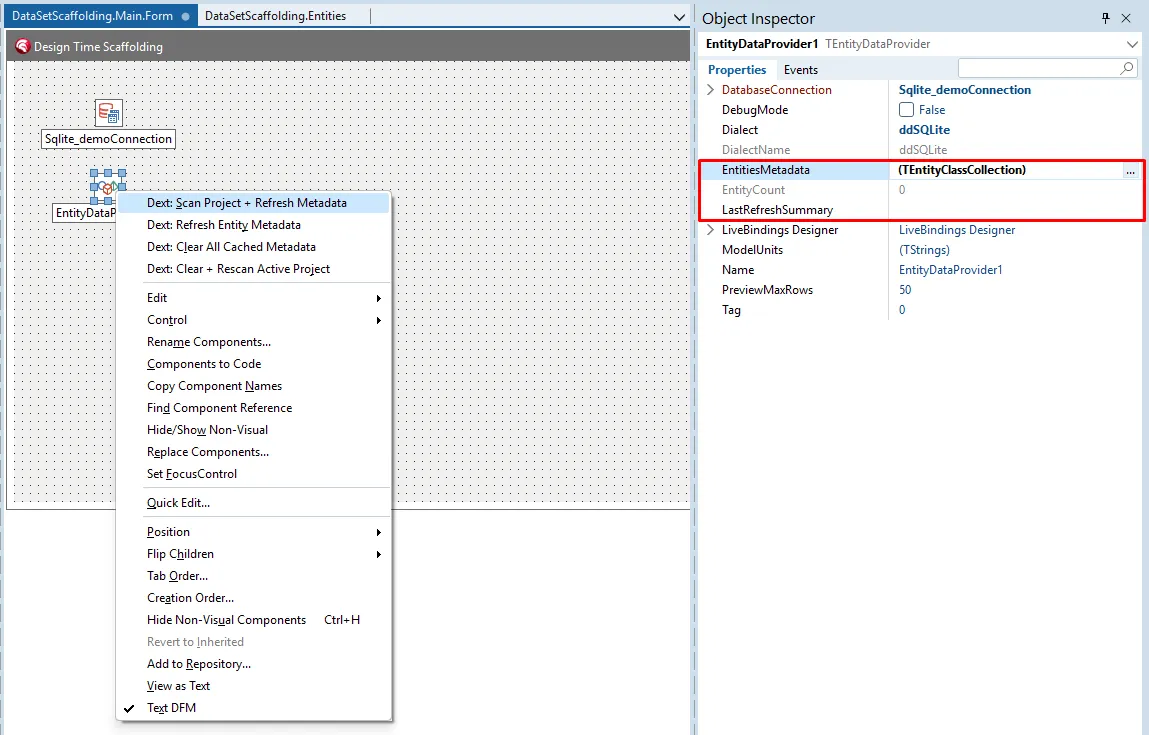
5. Automatic Scanning
Section titled “5. Automatic Scanning”Dext scans your project’s units for decorated classes. You don’t need to register anything manually; the entities appear ready for use.
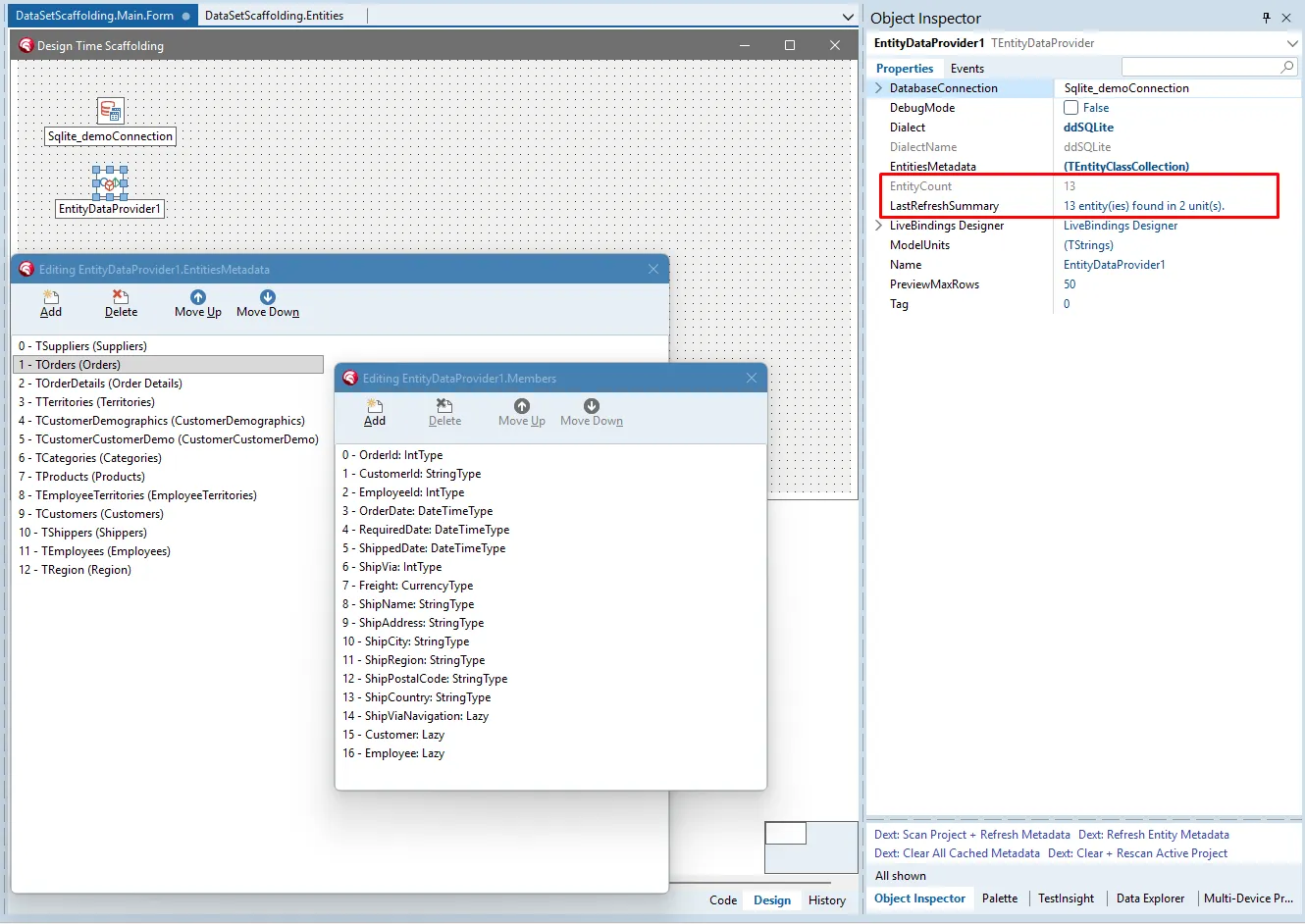
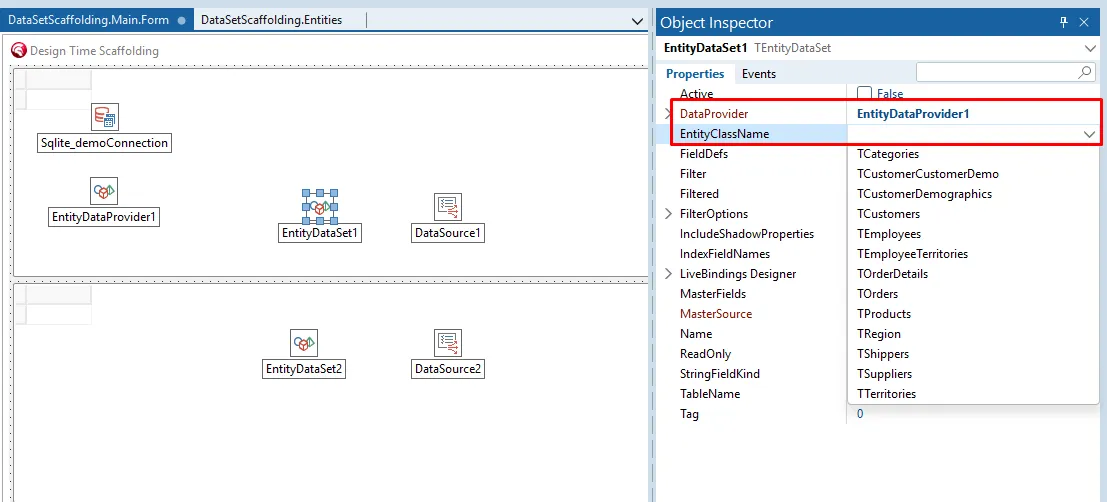
6. Instant Activation
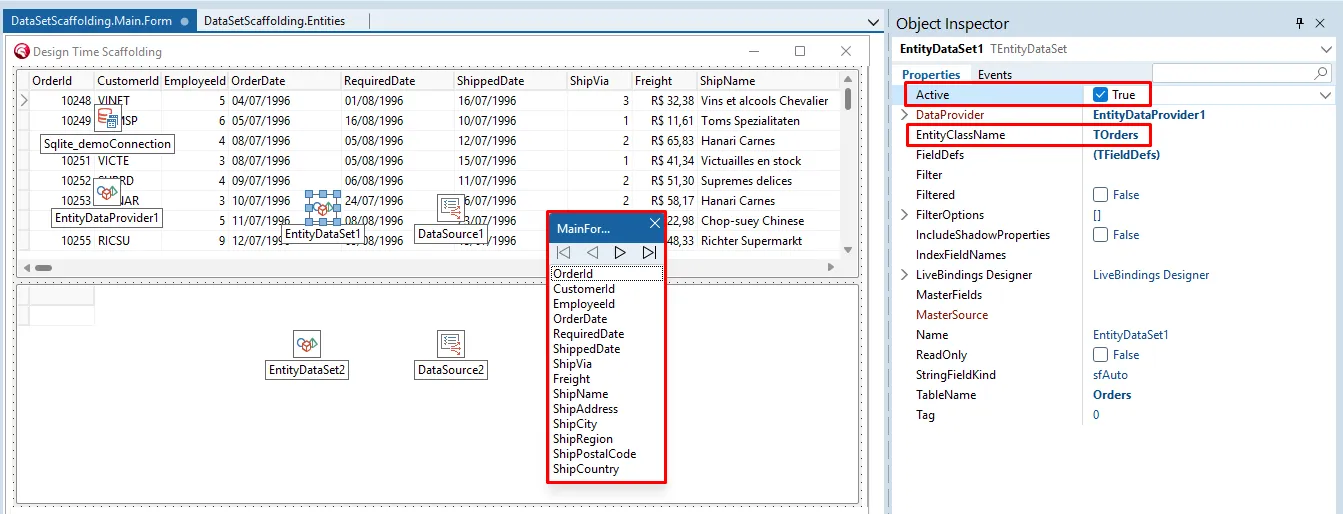
Section titled “6. Instant Activation”By selecting the EntityClassName and setting Active = True in the Object Inspector, real data from the database populates your Form Designer immediately. This allows you to validate the layout with live data without compiling the project.
⚡ Phase 3: Customization and Dynamic Filters
Section titled “⚡ Phase 3: Customization and Dynamic Filters”Dext allows you to control property behavior through powerful attributes and visual settings.
7. Visual Master-Detail
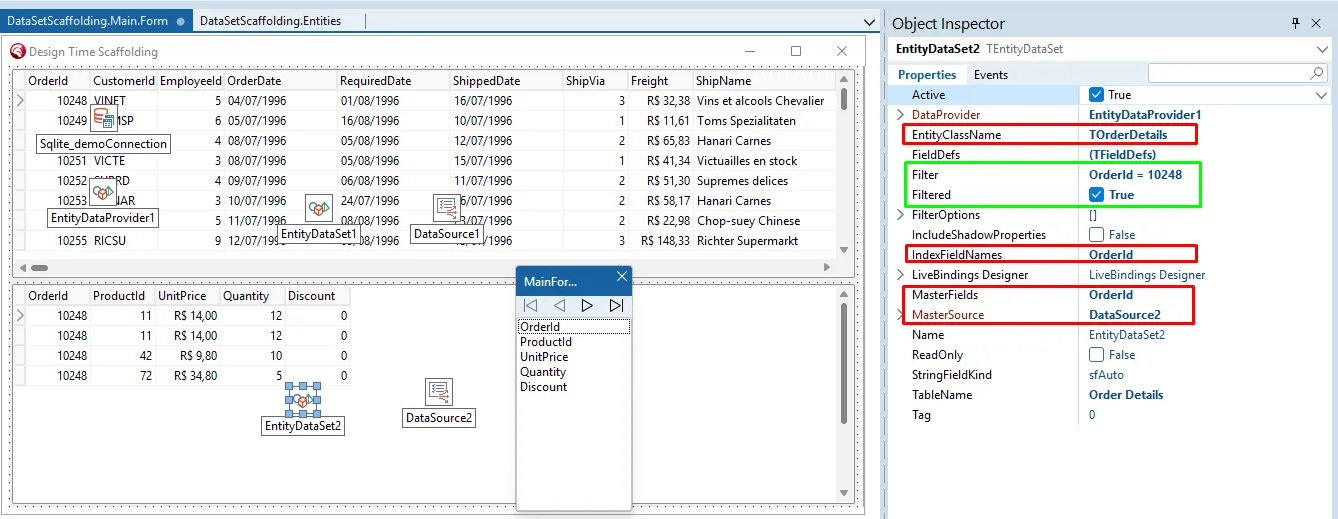
Section titled “7. Visual Master-Detail”Master-Detail filtering is configured visually. The result is reflected in the detail grid at design-time, ensuring relationship logic is correct before execution.
8. Attributes: Smart Mapping
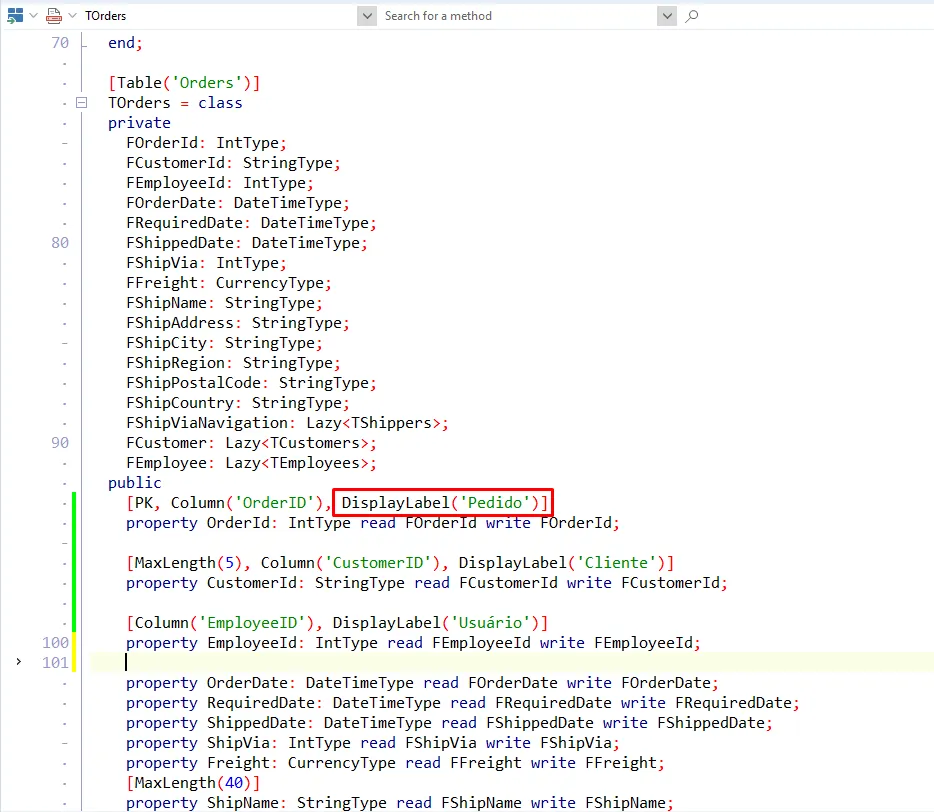
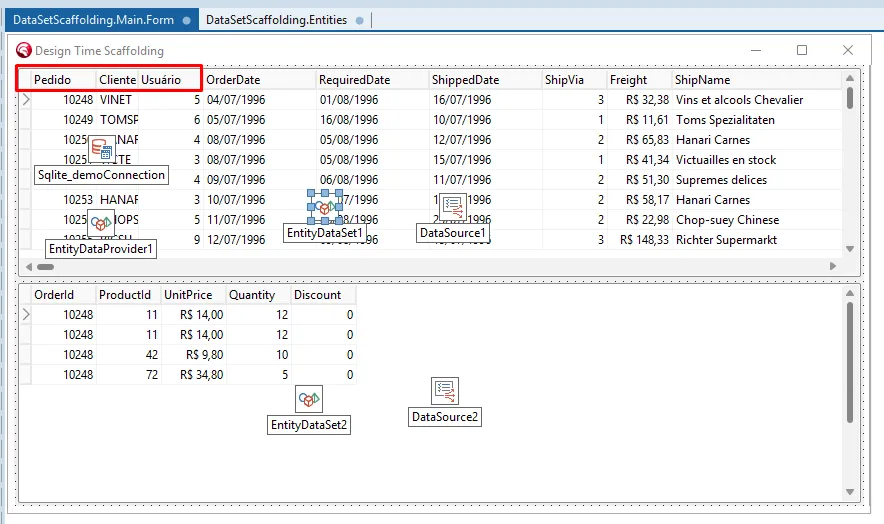
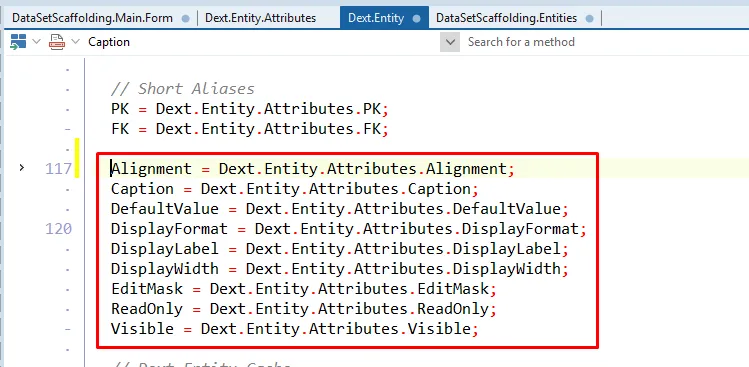
Section titled “8. Attributes: Smart Mapping”As a modern ORM, Dext allows you to control property behavior through attributes directly in the entity code. This not only defines business rules but also automatically configures the interface in the IDE (such as column widths, labels, and masks).
[Table('Customers')]TCustomerEntity = classpublic  [PK, MaxLength(5), Column('CustomerID'), DisplayLabel('Code'), DisplayWidth(10)]  property CustomerId: StringType read FCustomerId write FCustomerId;
  [MaxLength(40), DisplayLabel('Company'), DisplayWidth(30)]  property CompanyName: StringType read FCompanyName write FCompanyName;
  [MaxLength(30), DisplayLabel('Contact')]  property ContactName: StringType read FContactName write FContactName;
  [MaxLength(15), DisplayLabel('City'), Alignment(taCenter)]  property City: StringType read FCity write FCity;
  [MaxLength(15), DisplayLabel('Country')]  property Country: StringType read FCountry write FCountry;end;
Dext offers a wide range of attributes to enrich the design-time experience:
[DisplayLabel]: Defines the column title.[DisplayWidth]: Automatically calculates grid column width.[ReadOnly],[Visible],[EditMask],[DisplayFormat], and more.
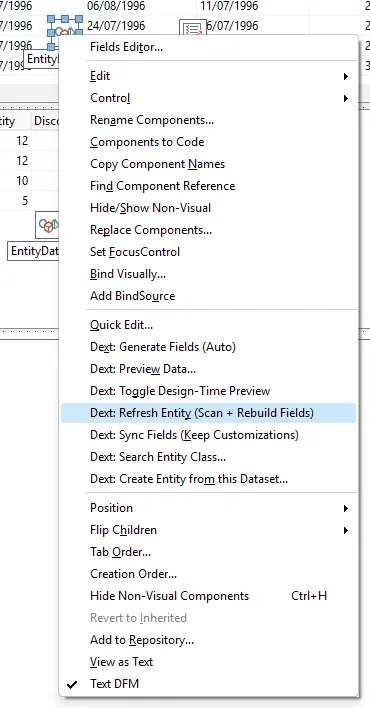
Use the Refresh Entity Metadata command to have the DataSet reconfigure itself and update the fields in the IDE instantly after any code changes.
🔥 Phase 4: Advanced Features
Section titled “🔥 Phase 4: Advanced Features”Here are the features that make Dext unique for those seeking extreme agility.
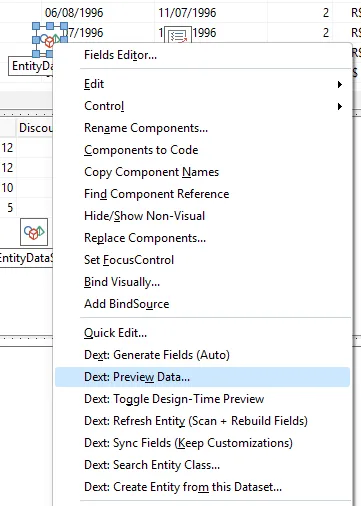
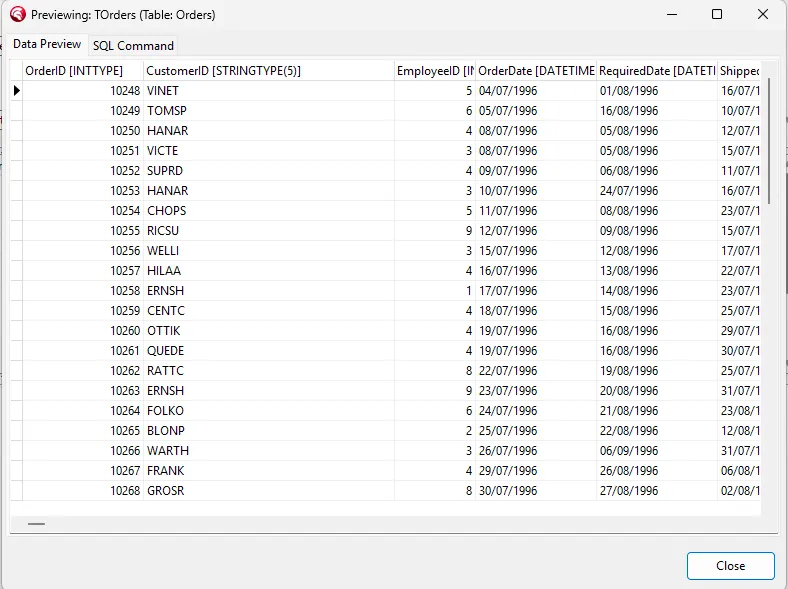
9. Live Data Preview
Section titled “9. Live Data Preview”Need to check data quickly without setting up grids? The Live Preview command opens an instant visualization window for the selected entity’s data.
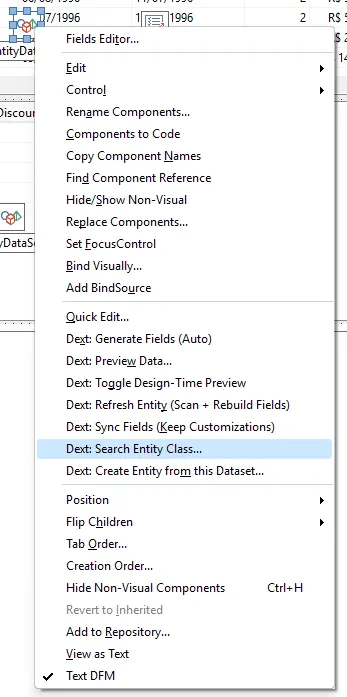
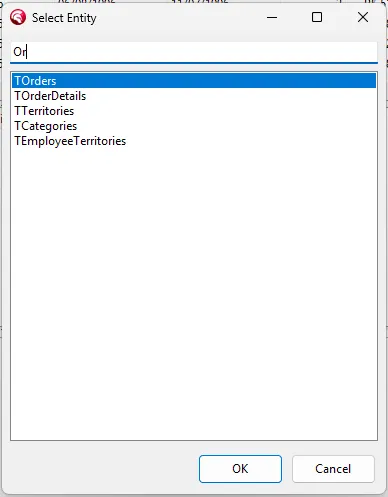
10. Advanced Search
Section titled “10. Advanced Search”Dext offers native support for advanced search dialogs with dynamic filters, all ready to be invoked via code or configured in the IDE.
🔄 Phase 5: Reverse Scaffolding (The “Secret Weapon”)
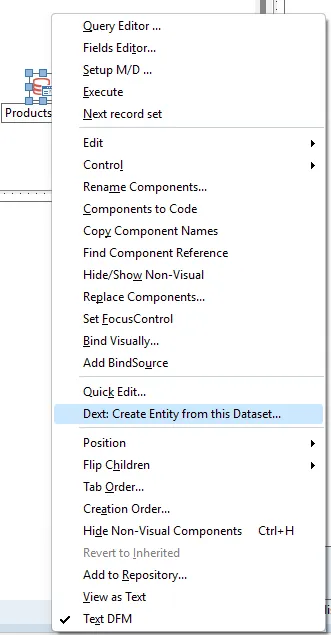
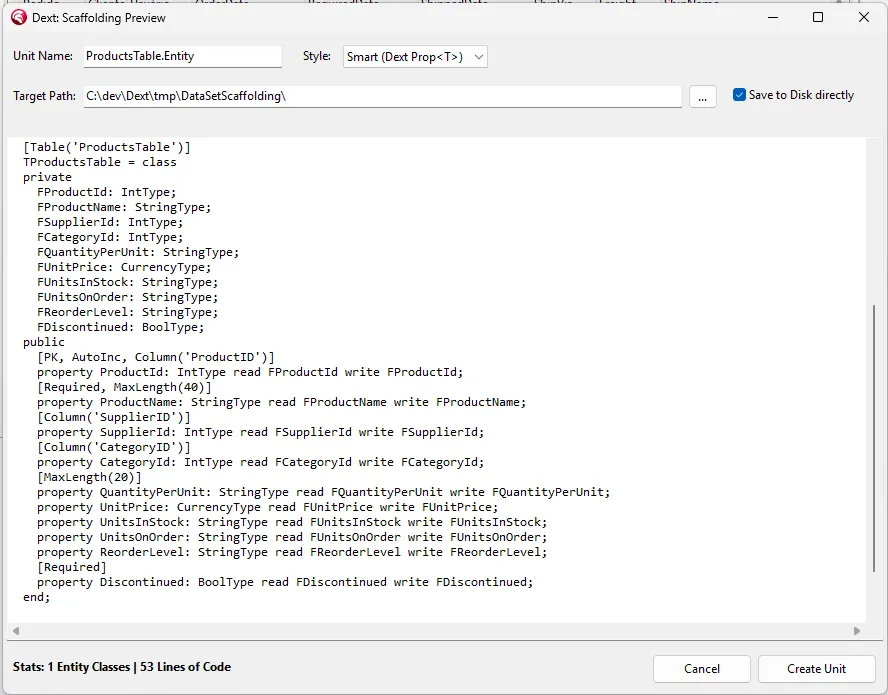
Section titled “🔄 Phase 5: Reverse Scaffolding (The “Secret Weapon”)”What if you don’t want to start from the database or have a custom TDataSet? Dext can generate entities from any active DataSet.
11. DataSet to Entity
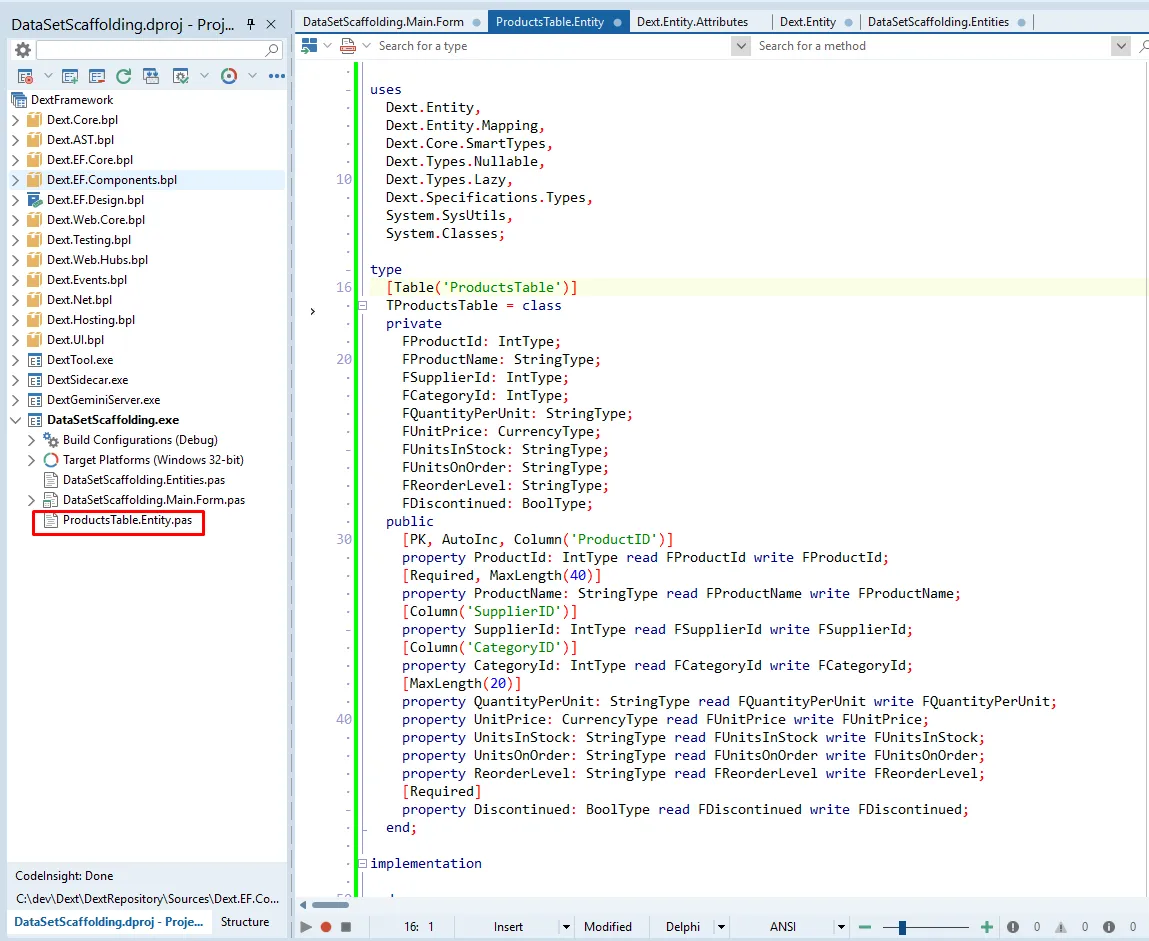
Section titled “11. DataSet to Entity”In this example, we use a dynamically created TFDQuery. Dext reads the field definitions and generates the equivalent entity class in seconds.
🚀 Conclusion
Section titled “🚀 Conclusion”The Dext Framework is not just an ORM; it’s a development acceleration engine. It allows the Delphi developer to focus on what really matters—business logic—while the data infrastructure is resolved visually, with high performance and elegance.
Official Dext Repository: Access on GitHub
Originally published at cesarromero.com.br