The End of Outdated Documentation in Delphi: Swagger & Dext Doc
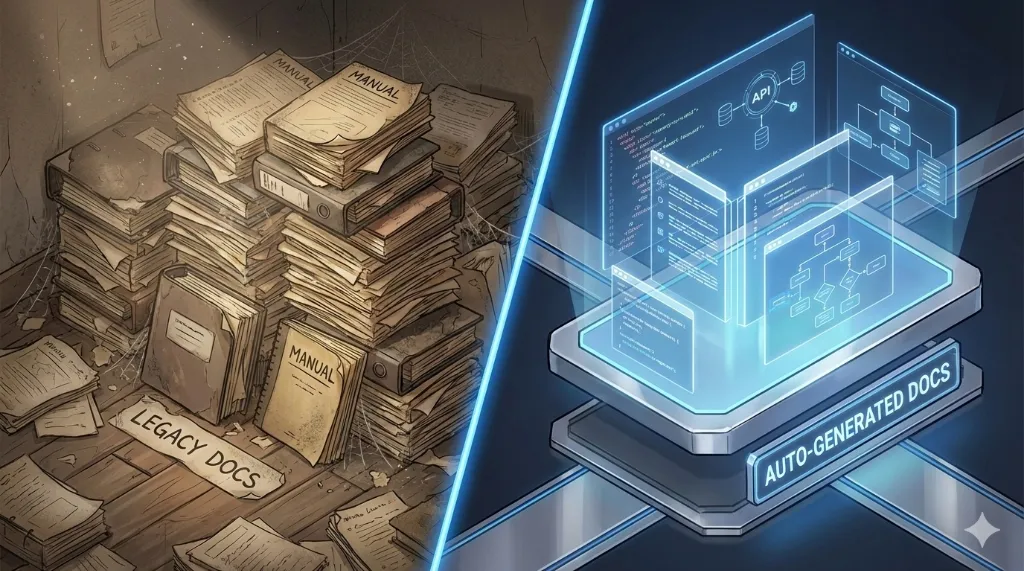
“Code without documentation is temporary code.” This maxim has guided the development of the Dext Framework since its inception. But let’s be honest: keeping documentation up to date is one of the most thankless tasks in development.
Anyone who has worked on long projects knows the cycle: you create the API, write a beautiful PDF or Wiki, and two weeks later… the documentation is already lying. A parameter changed, a new endpoint emerged, and the document was forgotten in the drawer.
The Dext Framework solves this problem by attacking the root cause: Documentation should not be a separate artifact; it must be born from the code itself.
In this article, I present the two native Dext tools that automate this process: Swagger/OpenAPI (for those who consume your API) and dext doc (for those who maintain your code).
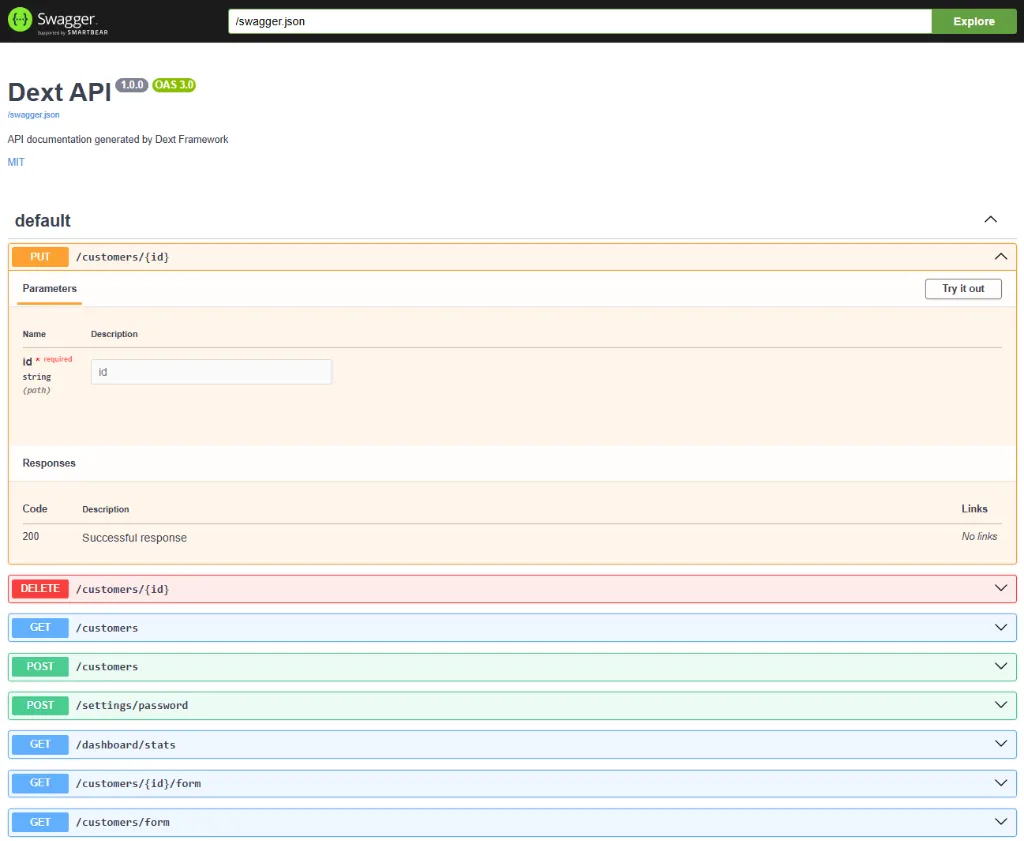
1. Swagger/OpenAPI: Your API Documented in Real-Time
Section titled “1. Swagger/OpenAPI: Your API Documented in Real-Time”The best documentation is the one you don’t need to open Word to write. Dext brings first-class support for the OpenAPI standard, allowing your API specification to live alongside the implementation.
It’s not an “add-on” or third-party component. It’s native.
uses  Dext.Swagger.Middleware,  Dext.OpenAPI.Fluent;
App.Configure(procedure(App: IApplicationBuilder)begin  // One line and your interactive documentation is live  App.UseSwagger;
  // Your endpoints here...end);
Methods Fluent API Magic
Section titled “Methods Fluent API Magic”Forget complex XML files or giant comments that clutter the code. Dext uses a fluent DSL (Domain Specific Language) and modern attributes. You document the endpoint’s intent at the moment you define it:
SwaggerEndpoint.From(App.MapGet('/api/users/{id}', GetUserHandler)) .Summary('Find user by ID') .Description('Returns full user details.') .Tag('Users') .Response(200, TypeInfo(TUser), 'User found') .Response(404, TypeInfo(TErrorResponse), 'User not found');The result? If you change the return type in the code, Swagger reflects the change immediately. Documentation never gets out of sync.
Smart Schemas with Attributes
Section titled “Smart Schemas with Attributes”For your DTOs and entities, we use attributes that enrich the visual documentation:
type  [SwaggerSchema('User', 'Represents an active customer')]  TUser = record    [SwaggerProperty('Unique identifier')]    [SwaggerExample('1050')]    Id: Integer;
    [SwaggerProperty('Corporate email')]    [SwaggerFormat('email')] // Visual validation in Swagger UI    Email: string;  end;
2. dext doc: The Tool Delphi Deserved
Section titled “2. dext doc: The Tool Delphi Deserved”During the development of Dext, I had a non-negotiable requirement: internal API documentation (classes, units, architecture) needed to be impeccable and automatic. I tried using the Open Source tools available on the market… and I got frustrated.
Some didn’t understand modern syntaxes (like advanced Generics or Attributes), others generated HTML with a dated look, and most broke when trying to analyze the complexity of the framework’s code.
I realized that if I wanted quality, I would have to build it. Thus was born dext doc.
dext doc turned out so well that it transcended the framework itself. Today, it is a powerful standalone tool that can be used in any Delphi project, whether you use the Dext Framework or not.
Why is it different?
Section titled “Why is it different?”Unlike generators based only on XML comments, dext doc performs a deep analysis of the AST (Abstract Syntax Tree) of your code.
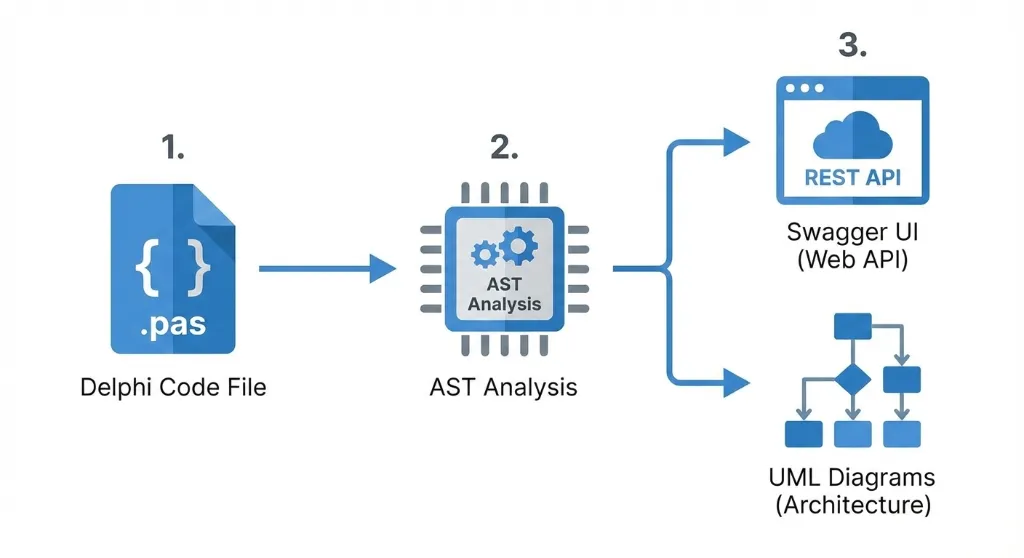
- Understands Modern Delphi: Generics, Anonymous Methods, Attributes — it reads everything natively.
- Automatic Diagrams (Mermaid): It doesn’t just list methods; it draws the architecture. Each class gets a UML diagram generated on the fly, showing inheritances and interfaces.
- Zero Configuration: No need to install Node.js, Java, Graphviz, or obscure dependencies. It’s a simple executable: point, generate.
Success with Semantic XML
Section titled “Success with Semantic XML”In addition to statistical analysis, dext doc respects the Semantic XML Comments standard. This means you can enrich your technical documentation with detailed descriptions, parameters, and returns using the same syntax that Delphi uses for Help Insight:
  /// <summary>  ///   Middleware that validates JWT tokens and populates the User principal.  /// </summary>  TJwtAuthenticationMiddleware = class(TInterfacedObject, IMiddleware)
  // ...
  /// <summary>  ///   Specifies a custom name for a field in the JSON output.  /// </summary>  JsonNameAttribute = class(DextJsonAttribute)  private    FName: string;  public    /// <summary>    ///   Initializes a new instance of the JsonNameAttribute class.    /// </summary>    /// <param name="AName">    ///   The custom name to be used in the JSON.    /// </param>    constructor Create(const AName: string);    property Name: string read FName;  end;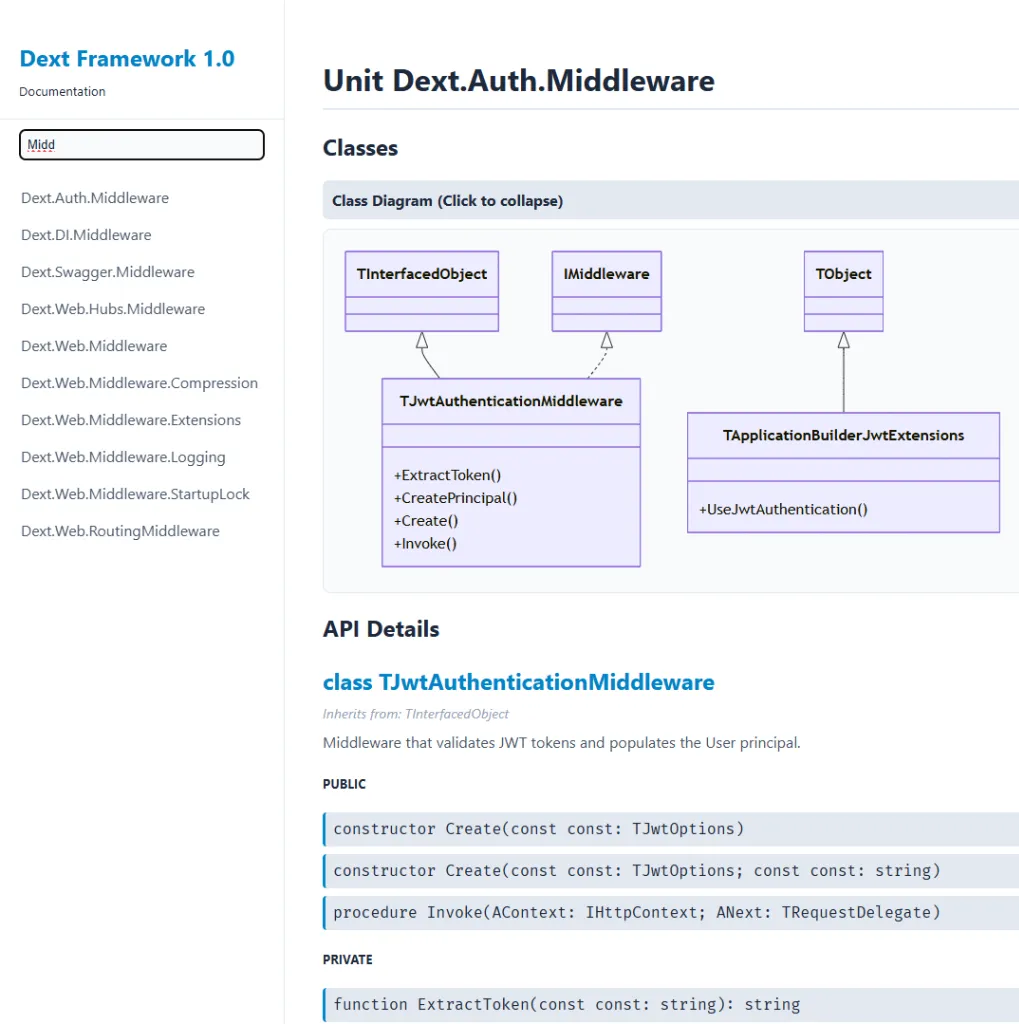
Your Gateway to the Modern
Section titled “Your Gateway to the Modern”Maybe you can’t migrate your legacy ERP to the Dext architecture today. But you can start documenting it with Dext quality right now.
Run the command in your current project folder:
dext doc --input ./YourLegacyProject --output ./Docs --title "ERP Documentation"And see your code come to life in a modern, responsive site with instant search and Dark Mode. It’s the safest and most immediate way to elevate your project’s professional level.
3. Integrated Workflow: The Documentation Culture
Section titled “3. Integrated Workflow: The Documentation Culture”The Dext philosophy is not just to provide useful classes, it’s to raise the bar of software engineering in the Delphi ecosystem.
By adopting these tools, you change the team’s culture:
- In Pull Request: The reviewer checks if the
[Swagger]attributes are clear. - In CI/CD: The pipeline runs
dext docand publishes the new version of the site automatically. - In Onboarding: The new dev receives the doc link and can visually navigate through the architecture.
Conclusion
Section titled “Conclusion”Documentation doesn’t have to be bureaucracy. When the right tool works for you, documenting becomes a natural consequence of writing good code.
Try running dext doc on your project today and see your architecture with different eyes.
🚧 Transparency Note: The Parser Challenge
Section titled “🚧 Transparency Note: The Parser Challenge”dext doc is an ambitious tool. To generate diagrams and rich documentation, it doesn’t just do a superficial reading; it performs a real parsing of the Delphi grammar.
This is the V1 version, extensively tested against the Dext Framework codebase and modern projects. However, we know that Delphi has 29 years of history and “exotic” dialects of legacy code that can surprise our parser.
I need your help.
I invite you to test dext doc on your project. If the parser chokes on some old unit or specific syntax:
- Do not give up.
- Open an Issue on our GitHub repository.
- If possible, attach the code snippet that caused the error.
I am committed to evolving the parser to cover as many scenarios as possible. Your report is the fuel to make this tool robust for the entire community.
Links and Resources
Section titled “Links and Resources”- Dext Repository: github.com/cesarliws/dext
- API Documentation (Generated with dext doc): Dext API Docs
- Dext Book (Online Manual): English Version | PT-BR Version
- Delphi Multithreading Book: cesarromero.com.br/#livros